
Here is the technical overview of the Move Mo and Move Ve rig specifications, including a detailed breakdown of the joint naming conventions.
Animation retargeting between different skeletons can be achieved through various methods. This article details the technical specifications of our custom rigs to streamline your retargeting process in external 3D environments.
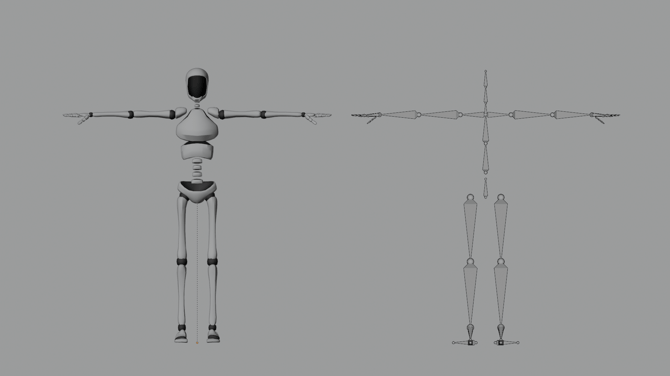
Note: This image provides a comparison, featuring the Move Bot model on the left and its corresponding armature hierarchy on the right.
Joint Naming and Hierarchy
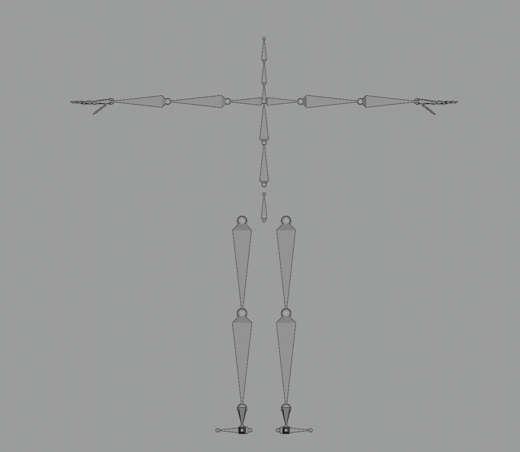
- _1:Head_end
- _1:Head
- _1:Neck
- _1:RightShoulder
- _1:RightArm
- _1:RightForeArm
- _1:RightHand
- _1:palm.01.R
- _1:RightHandIndex1
- _1:RightHandIndex2
- _1:RightHandIndex3
- _1:palm.02.R
- _1:RightHandMiddle1
- _1:RightHandMiddle2
- _1:RightHandMiddle3
- _1:palm.03.R
- _1:RightHandRing1
- _1:RightHandRing2
- _1:RightHandRing3
- _1:palm.04.R
- _1:RightHandPinky1
- _1:RightHandPinky2
- _1:RightHandPinky3
- _1:RightHandThumb1
- _1:RightHandThumb2
- _1:RightHandThumb3
- _1:RightForeArm
- _1:RightArm
- _1:LeftShoulder
- _1:LeftArm
- _1:LeftForeArm
- _1:LeftHand
- _1:palm.01.R
- _1:LeftHandIndex1
- _1:LeftHandIndex2
- _1:LeftHandIndex3
- _1:palm.02.R
- _1:LeftHandMiddle1
- _1:LeftHandMiddle2
- _1:LeftHandMiddle3
- _1:palm.03.R
- _1:LeftHandRing1
- _1:LeftHandRing2
- _1:LeftHandRing3
- _1:palm.04.R
- _1:LeftHandPinky1
- _1:LeftHandPinky2
- _1:LeftHandPinky3
- _1:LeftHandThumb1
- _1:LeftHandThumb2
- _1:LeftHandThumb3
- _1:LeftForeArm
- _1:LeftArm
- _1:Spine1
- _1:Spine
- _1:Hips
- _1:RightUpLeg
- _1:RightLeg
- _1:RightFoot
- _1:RightToeBase
- _1:heel.02.R
- _1:RightLeg
- _1:LeftUpLeg
- _1:LeftLeg
- _1:LeftFoot
- _1:LeftToeBase
- _1:heel.02.R
- _1:LeftLeg
- _1:RightUpLeg
Note: Accurate retargeting requires a 1:1 mapping of corresponding joints between both skeletal structures. For example, if you are mapping the right shoulder joint. You must map this joint to _1:RightShoulder
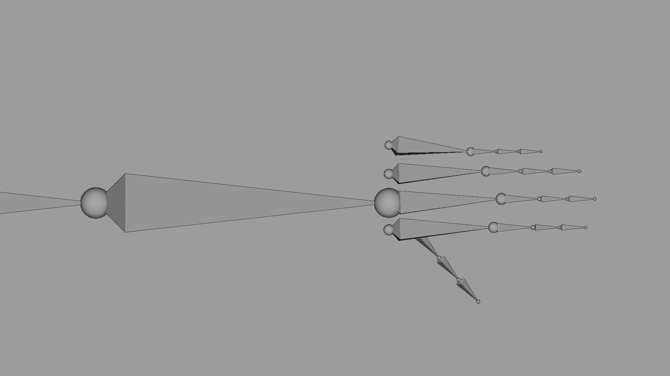
Note: The skeletons for m1 and m2 contain the same joint count, as the rigs utilise identical hierarchy. In total, our skeleton has 63 joints including the Root joint.
Key Differences in the m2 skeletal model
The m2 model introduces rotational data in both spine joints (Spine1 and Spine) which enhances the spine's range of motion and improves deformation quality during extreme poses. The m1 model is limited to a single spine joint with rotational data.
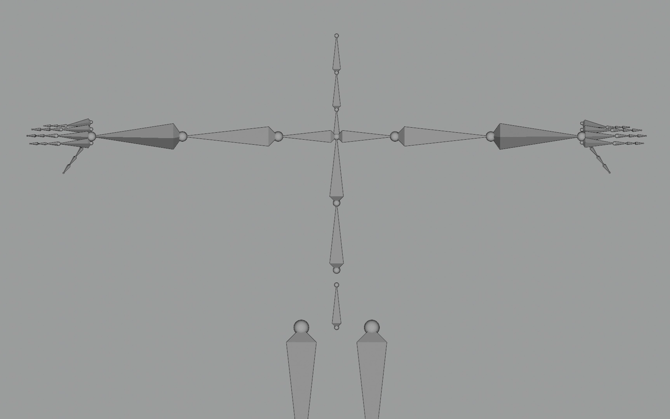
Overview
- The m1 and m2 skeletons are identical and contain 63 joints in total.
- The Move rig utilises Forward Kinematics (FK) as its primary control method for skeletal animation.
- All Move animations have the translation data (the X/Y/Z position of the character) applied to the hips joint and rotation data applied to all associated joints of the rig.
Check out our Output Formats article here for information on the different output formats we process.