
License request not found
-
Error message: "No Valid license found, please import one to proceed: License Manager server error. Try to reinstall and reboot"
- What Happened: Genesis cannot verify a valid license for your account
- Troubleshooting Checklist:
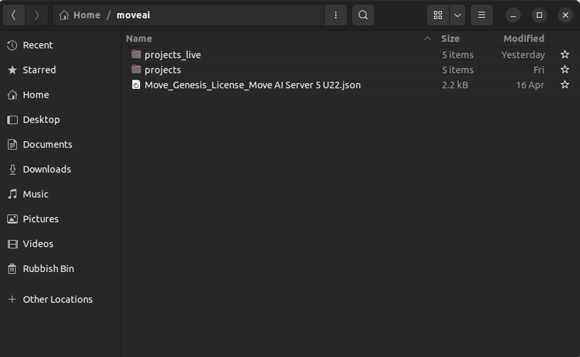
- Confirm a valid license file in the users
moveaifolder in the home directory.
-
Check the daemon, run command
sudo systemctl status mocap_dm to check license status -
Reboot if license file is present and daemon status is "Active"
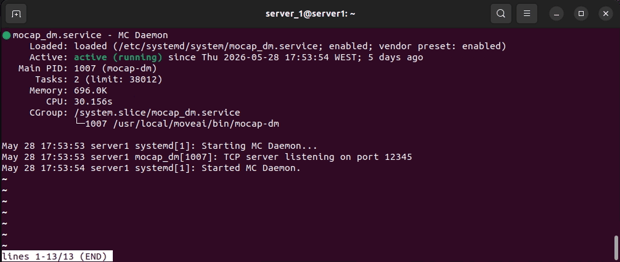
In the screenshot above, the daemon is running as expected, shown by the "Active (running)" status. If yours looks different, take a screenshot of the terminal and send it to the Move support team.